
Agentic.Collections
Agentic.Collections runs your accounts receivable collections as an AI agent inside Sage 300. Every business morning, it reviews each customer with overdue invoices, decides what should happen today, and drafts the reminder by email or, for customers who have agreed, by WhatsApp. Your credit controller approves the drafts, works the escalations, and never again chases the customer who always pays on day 38.
How it works
- Review: Before the office opens, the agent reads an account packet for every overdue customer: terms, aging, open invoices, twelve months of payment behaviour, promises, replies, and notes. It works the relationship, not the invoice: one email covering everything it is chasing, calibrated to how that customer actually pays.
- Draft: It climbs the ladder, from friendly reminder to firm reminder to final notice, roughly a week between touches. Amounts come from Sage, never from the model; recipients come from th eA/R customer record and its contacts. Approved emails go out with invoice copies attached, from a dedicated A/R mailbox the agent polls through the day, so replies, promises to pay, and bounces are on file by the next review. Customers who have agreed to WhatsApp get their reminders there instead, on a steady rhythm, in wording WhatsApp has approved; their replies and read receipts come back the same way.
- Escalate: Disputes, broken promises, requests for payment plans, signs of distress, hostile or legal language, and key accounts go to a person, with what happened and a recommended action. The controller works a colour-banded Dashboard, approves or rejects drafts on the Detail screen, and hands an account back to the agent when it is sorted. Start with every email approved by a person; move to selective or full autonomy when the drafts have earned it.
What keeps it honest
- The model never writes a monetary figure.
- Recipients are chosen from a whitelist built from A/R; the model never types an address.
- WhatsApp reminders use wording WhatsApp has approved; the model writes none of it. Customers who reply STOP are opted out at once.
- One decision per customer per run, and a frequency cap the model cannot override.
- Customers on hold or on the exclusions list are never chased, and neither is an account a person has taken over.
- Customer messages are information, never instructions.
- Every decision, packet, transcript and email is logged with a status history, and a morning digest reports what needs a person.
See it in action
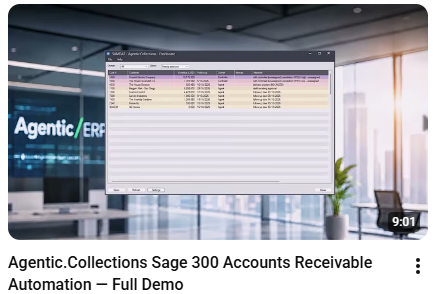
Watch these videos on the Agentic/ERP YouTube channel to see the app in action, or follow the link below to the Agentic/ERP product page for more information.

Requirements
Sage 300 2026 (or later) with Accounts Receivable (Order Entry optional). Orchid Extender v2026, Product Update 14.05 or later. An Anthropic API key on the customer'sown account, a dedicated A/R mailbox, and Process Scheduler for the daily chain. Optional, for reminders by WhatsApp: a Twilio account and a WhatsApp number on the customer's own accounts. Account data is sent to Anthropic under the customer's own account (and, for WhatsApp, reminders and replies pass through Twilio and WhatsApp); internet access is required.
Packaged
Provides useful functionality ‘out of the box’. (May require configuration, but not coding.)


Agentic/ERP
Agentic/ERP builds AI agents for Sage 300 - not bolted on, but working inside the Sage 300 desktop you already run, each one guarded in code rather than in a prompt. Agentic.OrderEntry takes the order desk's most tedious job; Agentic.Collections takes the credit controller's.
Important
Information
- These apps were built by the developers named under the app descriptions, and the associated intellectual property vests with them.
- Orchid Systems does not support or provide any warranty for the apps (unless the developer is listed as Orchid Systems).
- Everyone’s requirements and environments differ, so be sure to thoroughly test any apps you acquire before loading them in your live environment.
- These apps are designed to work in conjunction with Orchid Extender (Developer Edition), which in turn requires Sage 300 to be installed.
- The app developer (via your Sage Solution Provider) can provide you with the full list of requirements for specific apps.