
Agentic.OrderEntry
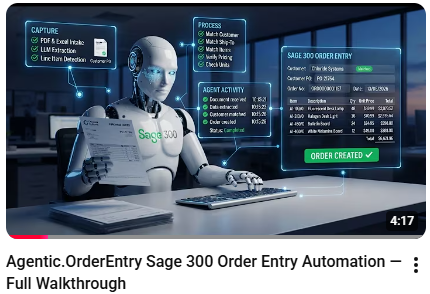
Agentic.OrderEntry reads your customer purchase orders (PDF, Excel or CSV, straight from email or a shared folder), matches every line against your Sage 300 data, and creates Order Entry orders. No rekeying. No transposed part numbers. No 4:55 pm backlog.
How it works
- Capture. Give it its own orders mailbox, and it reads the mail itself: each scan collects the purchase orders, ignores the signature images, and files the messages it has handled. Or drop files into the shared Inbound folder, import a file from the Queue screen, or schedule unattended scans with Process Scheduler. Batches welcome. A re-sent PO is recognised by its content and lands on its existing queue row, never as a second order.
- Resolve. The engine does the lookup work. An AI model reads the document: customer, ship-to, items and units of measure are matched against Sage 300 master data, and the lines are priced the way Sage prices them. Prices, quantities and totals are never the model's to decide.
- Review. When every line is matched and every check in Settings passed, the order is created in O/E automatically. Anything uncertain, from an unmatched item to a low-confidence scan or an order over your value cap, waits in the review queue. The Review screen shows the purchase order and the proposed Sage order side by side with live pricing: fix the one flagged line and create the order from there. Every file the engine has ever seen is a colour-coded row on the Queue.
See it in action
Watch these videos on the Agentic/ERP YouTube channel to see the app in action, or follow the link below to the Agentic/ERP product page for more information.

Requirements
Sage 300 2026 (or later) with Order Entry, Inventory Control, and Accounts Receivable. Orchid Extender v2026, Product Update 14.05 or later. An Anthropic API key on the customer's own account: purchase order content is sent to Anthropic (Claude) under that account, and internet access is required for extraction.
Packaged
Provides useful functionality ‘out of the box’. (May require configuration, but not coding.)


Agentic/ERP
Agentic/ERP builds AI agents for Sage 300 - not bolted on, but working inside the Sage 300 desktop you already run, each one guarded in code rather than in a prompt. Agentic.OrderEntry takes the order desk's most tedious job; Agentic.Collections takes the credit controller's.
Important
Information
- These apps were built by the developers named under the app descriptions, and the associated intellectual property vests with them.
- Orchid Systems does not support or provide any warranty for the apps (unless the developer is listed as Orchid Systems).
- Everyone’s requirements and environments differ, so be sure to thoroughly test any apps you acquire before loading them in your live environment.
- These apps are designed to work in conjunction with Orchid Extender (Developer Edition), which in turn requires Sage 300 to be installed.
- The app developer (via your Sage Solution Provider) can provide you with the full list of requirements for specific apps.