Join us to learn how Orchid's Process Scheduler and Financial Report Runner can be combined to provide an effective reporting solution for Sage 300.
Date: Tuesday, 21-Apr
Duration: 45 Minutes + Q&A
Process Scheduler is Orchid's automation engine for Sage 300. It allows recurring processes such as integrity checks, backups, day-end, and batch posting to run unattended.
Report Runner streamlines the setup, execution, and distribution of Sage 300 GL Financial Reports (or Crystal Reports), allowing staff to easily locate, launch, and access reports using role-specific menus.
What to Expect
This webinar coincides with the release of new features in Process Scheduler (Level 3) to facilitate opening and closing fiscal periods, and to run GL Financial Reports for the selected fiscal year and periods.
We’ll discuss and demonstrate:
- Examples of using Process Scheduler to manage the fiscal calendars in multiple databases
- The benefits of using Process Scheduler in conjunction with Report Runner
- How combining Process Scheduler with Orchid Extender provides flexibility for automating Sage 300 processes and alerts
Watch the short teaser video below for more on what to expect:
Who should attend?
Sage 300 consultants and users, especially:
- Those with multiple Sage 300 databases who would like to avoid logging in and out of them to run recurring tasks.
- Those who manually run standard Sage reports, custom sales reports, and G/L Financial Reports, and would like the peace of mind of having reports automatically refreshed and sent to the relevant stakeholders.
Business Partners are welcome to forward this invitation on to any of their Sage 300 clients who might benefit from this information.
You'll walk away with...
Attendees can expect to walk away from the session with ideas of how to:
- Improve the efficiency of your Sage 300 reporting processes, as well as the management of multiple entities.
- Set up Process Scheduler to decide when to run processes and reports.
- Use Report Runner to decide what reports to run, with what parameters, then 'set & forget' with confidence that the reports will be run and distributed.
- Build a month-end report pack, featuring role-based reports.
- Run nightly system automations for Sage 300 that are reliable and scalable across multiple entities, to support better decision making.
Register for your chosen session
- We've scheduled 3 sessions to accommodate attendees in different time zones
- All sessions will cover the same material, so just choose the one that suits you best
- The registration links below will take you to our GoToWebinar registration page
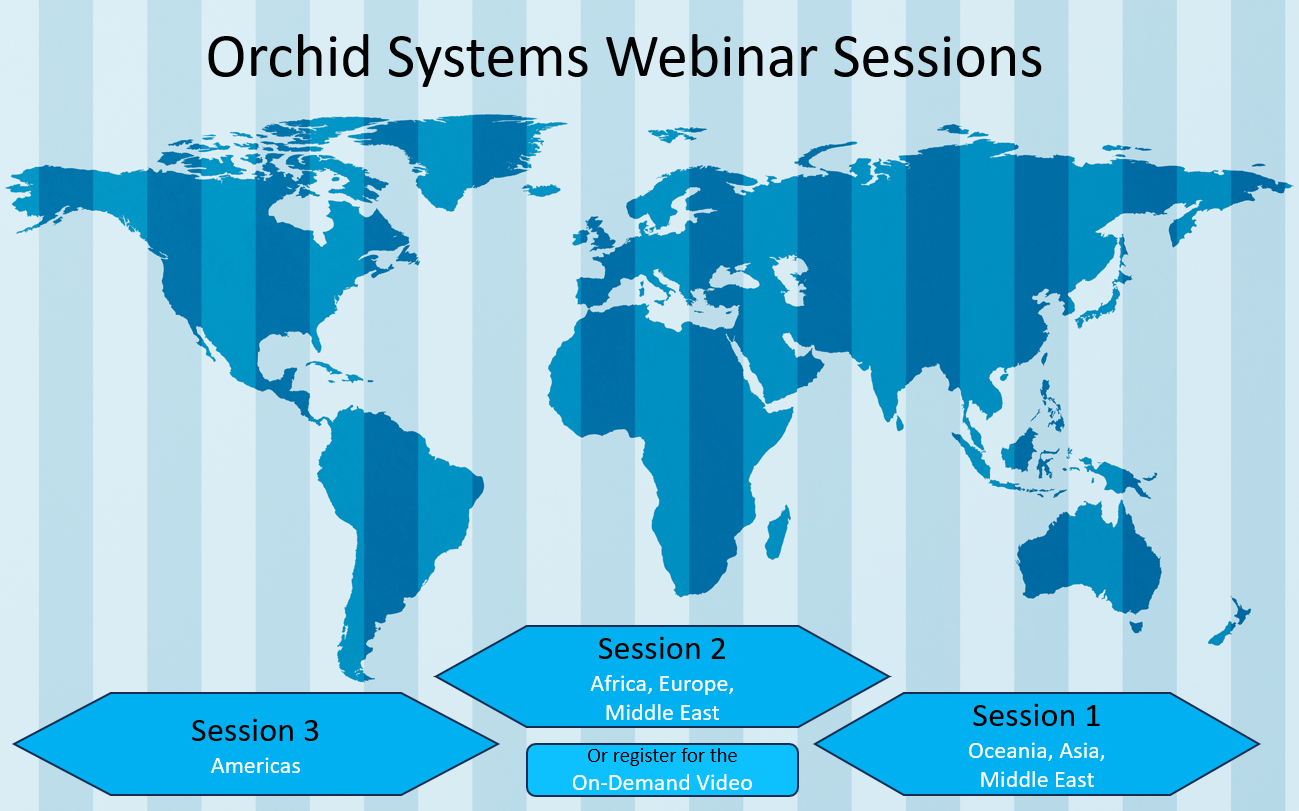
Session 1: Time Zone - Oceania / Asia / Middle East
Tuesday 21 April
16:00 AEST (4pm Sydney); 10am Dubai; 2pm Singapore
Click here to register for Session 1 (link coming soon)
Session 2: Time Zone - Africa / Europe / Middle East
Tuesday 21 April
10:00 BST (10am London); 11am Johannesburg; 1pm Dubai; 5pm Singapore
Click here to register for Session 2
Session 3: Time Zone - Americas
Tuesday 21 April
16:00 ET (4pm New York / Toronto); 1pm Los Angeles / Vancouver
Click here to register for Session 3
On-Demand Video
Register for any of the sessions above and we'll send you a link to a video recording of the webinar as soon as it has been published on the Orchid website, whether or not you attend.